Digital oil painting sits at the intersection of tradition and technology. This technique uses software and stylus tools to mimic oil paint. It lets artists control brushwork, color, and texture without physical mess. Many artists adopt digital oil painting to speed workflows, test ideas, and produce work for print and web. The article explains tools, brushes, and a clear workflow for reliable results.
Key Takeaways
- Digital oil painting combines traditional oil techniques with digital tools to offer artists faster workflows and mess-free creativity.
- Using a tablet, pressure-sensitive stylus, and specialized software like Photoshop or Corel Painter is essential for authentic digital oil effects.
- Choosing the right brushes and customizing settings like flow and texture greatly impact the quality and realism of digital oil paintings.
- A structured workflow—from sketching to final export—helps artists maintain control over color, texture, and composition while ensuring organized files.
- Digital oil painting enables artists to produce scalable, editable works ideal for prints, digital galleries, and rapid revisions.
What Digital Oil Painting Is And Why It Matters Today
Digital oil painting refers to the use of digital tools to recreate the look and feel of oil paint. Artists use pressure-sensitive styluses and software that simulates wet paint, blending, and brush drag. The technique preserves the tactile qualities of oil while removing paint drying time and cleanup. Digital oil painting matters because it lowers costs and increases iteration speed. It lets artists test color and composition quickly. It also opens new markets. Designers deliver high-resolution prints and galleries accept digital originals. Studios use digital oil painting to prototype looks for film, games, and product art.
Collectors and clients value consistent results. Digital files remain editable and scalable. Galleries can produce limited-edition prints from a single source file. Educators use digital oil painting to teach classical color theory with less material waste. Freelancers accept digital commissions and deliver faster. Overall, digital oil painting extends traditional oil techniques to modern production needs. It keeps painterly expression on screens and in print.
Essential Tools, Brushes, And Software For Authentic Oil Effects
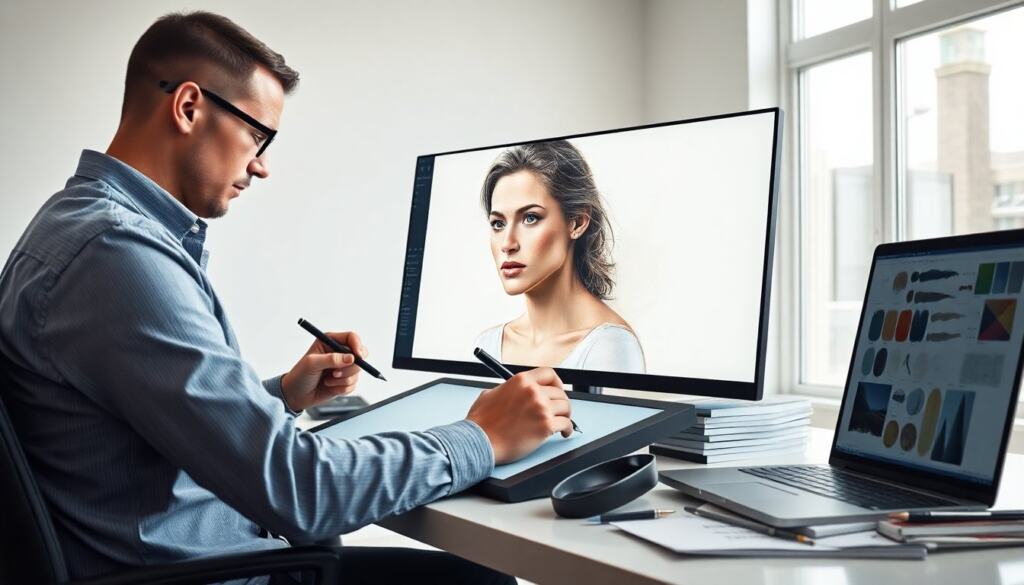
A reliable setup improves digital oil painting results. Artists need a tablet, a stylus, and capable software. Many artists choose a drawing tablet with tilt and pressure support. They pair it with a stylus that senses pressure and angle. This hardware gives real-feel control of brush opacity and stroke width.
Software choices shape the brush behavior. Programs such as Adobe Photoshop, Corel Painter, and Krita offer oil-style brushes. Each program handles pigment mixing and canvas texture differently. Photoshop provides a wide ecosystem of custom brushes. Corel Painter focuses on physical media emulation and wet blending. Krita gives a strong free alternative with powerful brush engines. Artists test each program to find the one that matches their hand and goals.
Brush selection matters for stroke quality. A wide, soft brush helps block in color. A round, loaded brush helps create impasto effects. A fan or bristle brush helps create texture and hair detail. Many artists combine custom brushes with default sets. They design brushes that smear, blend, or lift color like real oil. They adjust spacing, flow, and scattering to match their technique.
Canvas texture and brush settings impact final output. Artists use high-resolution canvases to keep fine details. They add a subtle tooth texture to simulate canvas weave. They lower flow and increase opacity to build glaze layers. They save custom brush presets to speed repeatable effects. Overall, a practical toolset gives artists predictable oil-like results.
Step‑By‑Step Workflow: From Sketch To Finished Digital Oil Painting
The workflow guides the artist through digital oil painting from idea to finish. The process reduces guesswork and keeps the file organized.
Step 1: Start with a clear sketch. The artist draws a simple line sketch on a separate layer. They set the sketch to low opacity and lock the layer. This step defines composition and values.
Step 2: Block in large shapes. The artist selects a large flat brush and lays down local color on a new layer. They ignore detail and focus on light, shadow, and major color relationships. The artist keeps strokes readable and consistent.
Step 3: Establish values. The artist adds a grayscale layer or uses a desaturated copy. They adjust contrast until the image reads at thumbnail size. Strong value hierarchy helps the final painting read from a distance.
Step 4: Refine edges and form. The artist switches to round and soft brushes to refine forms. They use the stylus pressure to vary stroke weight. They blend edges where needed and keep hard edges near focal points.
Step 5: Build color layers. The artist applies translucent layers to simulate glazing. They lower flow and paint over dried-looking areas. They use color dodge and multiply sparingly to enhance light. The artist keeps each glaze on its own layer for control.
Step 6: Add texture and brushwork. The artist introduces bristle and impasto brushes to create tactile marks. They vary stroke direction to suggest surface planes. They use a textured canvas layer on multiply to unify the look.
Step 7: Paint details and accents. The artist adds small highlights, reflected light, and fine textures. They increase brush hardness for crisp edges. They step back often and toggle layers to test the read.
Step 8: Final adjustments and export. The artist applies overall color correction and sharpening on an adjustment layer. They flatten a copy for export and keep the layered source file. They save high-resolution TIFF or PNG for print and a web-optimized JPEG for online use.
This workflow helps artists control color, brushwork, and texture. It reduces rework and keeps files organized for future changes. It supports consistent, high-quality results in digital oil painting.