Artists create motion by drawing each frame in sequence when they use frame-by-frame animation, a method that gives motion its tactile, hand-made character. It remains important because it offers unmatched control over timing, expression, and style, qualities many automated tools can’t replicate. The following practical overview explains what it is, what tools to choose, how to plan shots, and the drawing techniques that make hand-drawn motion read clearly and energetically.
Key Takeaways
- Frame-by-frame animation creates organic, hand-crafted motion by drawing each frame individually, offering unmatched control over timing and expression.
- Essential tools for frame-by-frame include pencils, lightboxes, or digital tablets and software like TVPaint; onion-skinning and peg bars greatly enhance workflow.
- Planning with storyboards, keyframes, and exposure sheets (x-sheets) ensures clear timing and coordination, making the animation process more efficient.
- Effective key poses capture weight and intention with strong silhouettes, while limiting keys prevents clutter and slows production.
- Smooth motion relies on following arcs, consistent volume, and varied spacing; avoid robotic flat timing and volume breaks for natural movement.
- Regular playblasts and peer reviews help catch timing and rhythm issues early, improving overall animation quality.
What Frame-By-Frame Animation Is And Why It Still Matters
Frame-by-frame animation means producing motion by creating a separate drawing (or frame) for each step of movement. Unlike rigged or procedural animation, it depends on the animator’s pencil (or stylus) for every change, which results in organic motion and nuanced timing. It still matters in 2026 for character performance, experimental shorts, title sequences, and any project that benefits from a handcrafted look. Studios and indie creators use it when subtle weight shifts, secondary actions, or expressive holds are critical, areas where automated interpolation often falls short.
- Quick Facts
- Frame-by-frame can be done on paper or digitally with a tablet.
- Keyframes define extremes: inbetweens fill motion between them.
- Exposure sheets (x-sheets) help translate timing into frames.
- Traditional workflows remain viable alongside modern software.
Essential Tools And Materials For Traditional And Digital Workflows
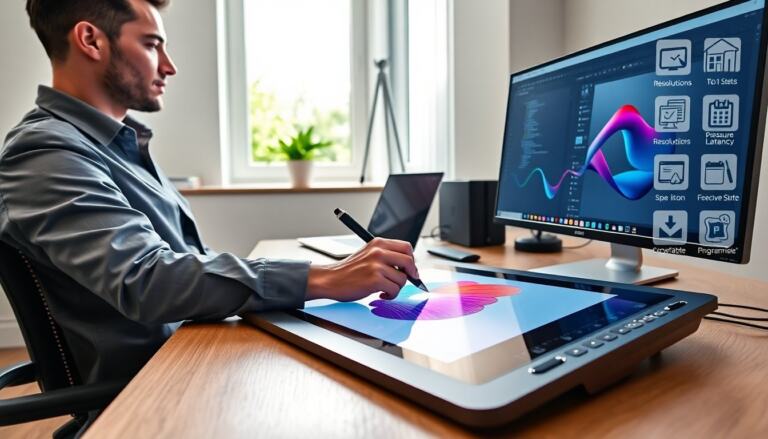
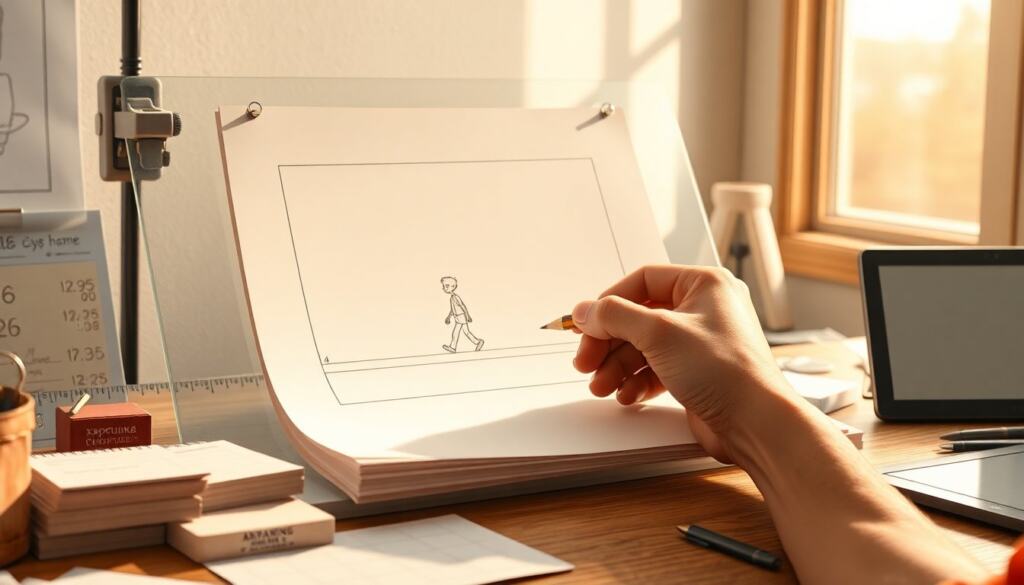
Whether working on paper or screen, basic tools stay consistent: a reliable drawing surface, reference footage, and a playback system. For traditional work: pencils, erasers, lightbox (or peg bar), animation paper, and index cards for thumbnails. For digital: a pressure-sensitive tablet, stylus, a capable computer, and animation software such as TVPaint or Clip Studio Paint.
Digital rigs benefit from features like onion-skinning, timeline scrubbing, and layered exports. Physical and digital methods can mix: many animators pencil on paper, scan, then clean up and color digitally. Keep backups, use consistent file naming, and standardize frame rates early (24 fps, 12 fps with holds, etc.). Bolded items: onion-skinning and peg bar.
Workflow And Planning: Storyboards, Keyframes, And Exposure Sheets
Successful frame-by-frame work begins long before the first frame is drawn. Storyboards block action and camera, while animatics establish rough timing. Keyframes mark the important poses or extremes: inbetween frames create the motion between them. An exposure sheet (x-sheet) translates the animatic’s timing into frame numbers and notes for each layer or element.
Creating Effective Key Poses
Key poses should capture the silhouette, weight, and intention of a movement. Each key must read clearly at a glance, strong silhouettes and exaggerated contact/anticipation frames help. Limit key poses to those that change direction, speed, or expression: too many keys clutter the plan and slow production.
Using Exposure Sheets And Timing Charts To Control Motion
Exposure sheets map action to frames and list instructions (camera moves, holds, soundtrack cues). Timing charts or charts showing breakdowns (e.g., 1s-2s-1s) make clear where inbetweens go and whether motion eases in or out. Use x-sheets to coordinate multiple animators by layer, making reviews and retakes faster. Bolded items: animatic and timing chart.
Drawing Techniques, Inbetweening, And Clean-Up Best Practices
Drawing for frame-by-frame focuses on consistent volume, clear drawing language, and efficient inbetweening. Start with rough key drawings, then create breakdowns that show how motion transitions. Inbetweeners should match shape, weight, and proportion while observing arcs of motion. Clean-up refines line quality, fixes anatomy, and prepares frames for coloring or compositing.
Practical tips: work on modelsheets for characters, maintain consistent line thickness where needed, and mark registration points to prevent jitter. When cleaning up digitally, use vector layers or high-resolution raster layers to retain crisp lines. Bolded terms: modelsheet and inbetweening.
Tips For Smooth Motion, Consistent Volume, And Avoiding Common Mistakes
Smooth motion depends on arcs, spacing, and consistent volume. Follow arcs for limbs and props instead of moving things in straight lines: that single change makes motion feel natural. Space frames progressively to create acceleration or deceleration, closer frames slow motion, wider spacing speeds it up. Keep volumes consistent by checking forms in three views and using construction lines in every key.
Common mistakes to avoid:
- Breaking volume: resizing features between frames.
- Flat timing: using equal spacing for all motion, which feels robotic.
- Over-cleaning early: refining before timing is locked wastes effort.
Use short playblasts often to catch rhythm issues early and ask a peer for a quick read-through: fresh eyes spot timing problems fast. Bolded items: arcs and playblast.
Frequently Asked Questions about Animation Frame By Frame
What is frame-by-frame animation and why is it important?
Frame-by-frame animation involves creating a separate drawing for each step of movement, offering unmatched control over timing, expression, and style. It remains important for achieving organic motion and nuanced performance that automated tools often can’t replicate.
Which tools are essential for traditional and digital frame-by-frame animation?
Traditional animators use pencils, erasers, lightboxes or peg bars, and animation paper. Digital animators rely on pressure-sensitive tablets, styluses, animation software like TVPaint or Clip Studio Paint, and benefit from features such as onion-skinning and timeline scrubbing.
How do exposure sheets and timing charts assist in frame-by-frame animation?
Exposure sheets translate timing into frame numbers and list layer or element instructions, coordinating multiple animators effectively. Timing charts help place inbetween frames and control motion easing like acceleration or deceleration.
What are the best practices for drawing and inbetweening in frame-by-frame animation?
Start with rough key drawings, create breakdowns for motion transitions, and ensure inbetween frames match shape and volume. Clean-up refines line quality and anatomy, using modelsheets and maintaining consistent line thickness and registration points to prevent jitter.
How can animators achieve smooth motion and consistent volume in frame-by-frame animation?
Following natural arcs for limb movement, spacing frames progressively for acceleration or deceleration, and maintaining consistent volumes by checking forms in multiple views help create smooth, natural motion. Regular playblasts and peer reviews catch timing and rhythm issues early.
Can frame-by-frame animation be combined with digital techniques, and how?
Yes, many animators begin by penciling frames on paper, then scan and clean up digitally. Digital methods allow layering, high-resolution clean-up, and coloring, blending traditional tactile qualities with digital efficiency.