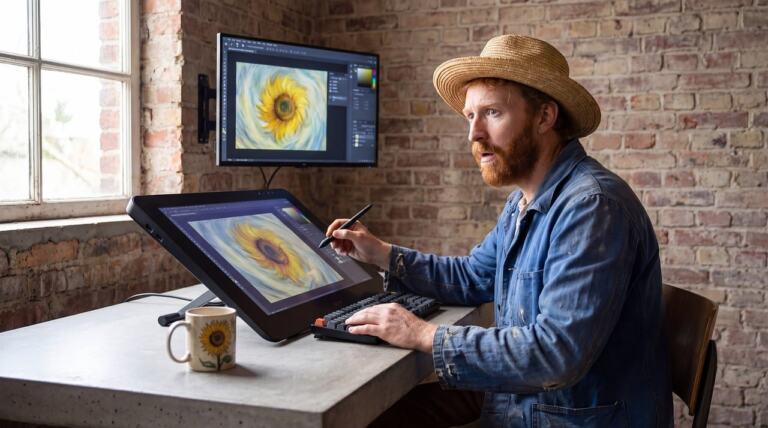

The phrase gfxrobotection ai software by gfxmaker refers to an article in the Software section of Gfxmaker, a graphic design and technology site. The article is billed as a practical review, setup guide and list of use cases, and the name GfxRoboTection appears to be a coined product label.
This walk-through shows how to find that article, what to check before assuming a real product exists, and how to try any AI graphics tool without putting your files or accounts at risk.
| Step 1 | Find the Software section in the Gfxmaker menu. |
| Step 2 | Open the GfxRoboTection article and read it fully. |
| Step 3 | Look for a named vendor, download page and version number. |
| Step 4 | Search independently for the tool name. |
| Step 5 | Test only in a sandbox with copies of your files. |
Step 1 and 2: locate the gfxmaker article
Gfxmaker lists Graphic Design, Technology, Software, Marketing and 3D Printing in its main menu. The Software shelf holds the piece titled GfxRoboTection AI By GfxMaker, which promises a practical review, setup guide and use cases for 2026.
- Open the site’s home page and choose Software from the menu.
- Scroll the list until you reach the GfxRoboTection AI headline and open it.
- Read to the end before acting on anything, including any download or purchase language.
The article is a written piece. The site does not present a download button or a pricing table in the parts reviewed, which matters for the next step.
Step 3: judge what the gfxmaker article claims
Before the checklist, a word on expectations. Many sites publish articles that read like product reviews for tools that are loosely defined. That is not unique to this one, and it is why a structured check is better than a first impression.

A real software product normally leaves a trail: a vendor name, a version number, a changelog, system requirements and a support address. When you open the article, look for each of these.
- A named company or developer, not just the site’s own name.
- A version number and release date.
- System requirements and supported file formats.
- A clear privacy statement about how uploaded images are handled.
- A support route that is separate from the blog’s contact form.
None of these could be confirmed from the headline and summary alone, and the site does not list a vendor for the tool in the pages reviewed. So treat GfxRoboTection as a name used by the site until you find independent proof of a product behind it.
Step 4: cross-check the gfxmaker name outside the site
Independent evidence is the best protection. A real tool tends to appear in more than one place: a developer’s site, an app store listing, a code repository, user forums or professional reviews.
- Search for the exact tool name in quotation marks and note whether results come only from Gfxmaker.
- Look at reputable software directories and app stores for a matching listing.
- Check the registration date of any domain linked from the article using a public lookup service.
- Search for user reports, and read both praise and complaints.
A useful habit is to write the findings down as you go: what you searched, where you looked and what you found. A one-page note makes it easy to explain your decision to a colleague, or to revisit it when the tool is updated.
If the only references are on one site, be cautious. That is not proof that something is wrong, but it is a good reason not to install anything yet.
The Gfxmaker technology shelf and GFXProjectality
A second coined name belongs in the same neighbourhood. The site’s Technology shelf carries an article titled GFXProjectality Tech Trends From GFXMaker, which promises 2026 innovations shaping creative workflows.

Readers who search gfxprojectality tech trends from gfxmaker are looking for that article. Like the AI one, it is an editorial piece, and nothing in its title identifies a company or product called GFXProjectality. Read it as commentary about creative workflow trends and compare its claims with industry sources.
For designers, the practical value of trend articles is as prompts for experiments. Pick one idea, try it on a small piece of work and judge the result yourself before changing a whole workflow.
The same rule applies as for the software article: if a trend or tool is real, other publishers and vendors will have written about it.
Step 5: test any gfxmaker-style AI graphics tool safely
If you do find a real product, test it with care. AI graphics tools often ask for uploads, accounts and sometimes access to cloud storage.
- Use copies of images, never originals, and keep nothing confidential in them.
- Create a separate email address for sign-up rather than your main one.
- Do not grant access to cloud drives or social accounts unless the vendor is verified.
- Read the licence to see who owns the output and whether your uploads are used for training.
- Pay nothing until you have tested the free version, and use a payment method with dispute protection.
If something goes wrong, stop using the tool, change any password you entered, and check your accounts for unfamiliar activity. Most problems with unknown software can be undone quickly when you act early.
Keep a record of what you installed and when, so you can remove it cleanly if it does not work out. None of this is a verdict on the product or the site, since neither could be confirmed in this review.