
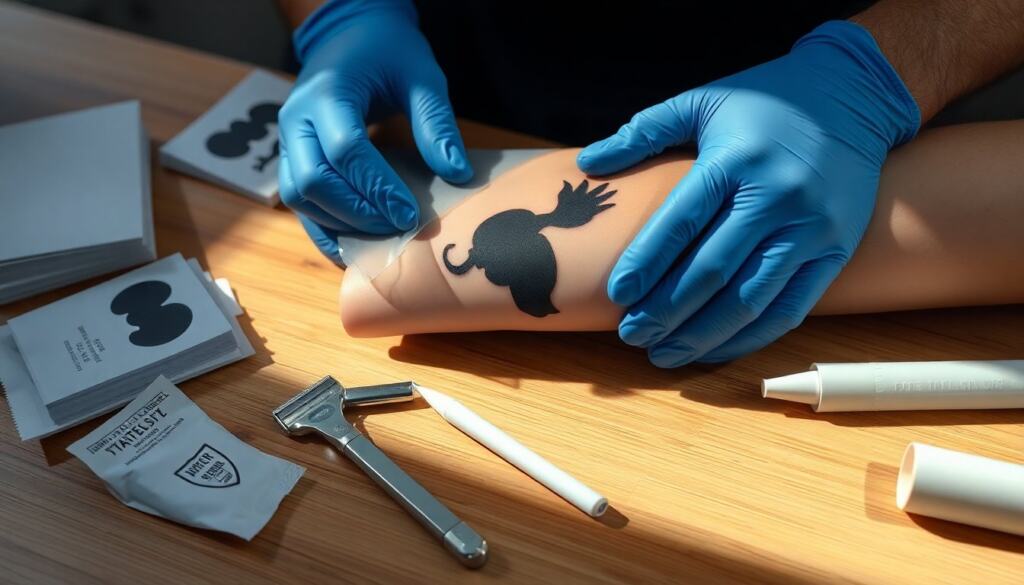
A clean tattoo stencil starts with a well-prepared design and the right transfer method: it saves time, reduces client touch-ups, and helps the artist reproduce details consistently. The steps below describe the tools, design prep, hand and printer-based stencil creation, safe skin transfer, and troubleshooting tips so an artist or advanced hobbyist can produce reliable stencils every session.
Key Takeaways
- A clean tattoo stencil starts with well-prepared design and the right stencil paper for consistent detail reproduction.
- Simplify artwork and check line weight by thickening thin lines 10–30% to ensure clear stencil transfer.
- Hand-trace or use a thermal printer depending on design detail and workflow, with thermal printers offering machine-made repeatability.
- Prepare skin by shaving and cleansing before applying stencil adhesive to ensure safe and accurate transfer.
- Test stencil clarity with practice transfers on paper and adjust tracing pressure or line weight to fix faint lines.
- Use gloves, barrier protection, and cling film to maintain hygiene and protect fresh stencils during tattoo sessions.
Essential Tools And Materials You’ll Need
Quick Facts
- A good stencil depends on stencil paper, clean skin prep, and a stable tracing method.
- Both hand-traced and printer-made stencils are widely used: choice depends on detail and workflow.
- Barrier protection and single-use transfer sheets reduce infection risk.
Essential Tools And Materials You’ll Need
A concise kit makes stencil work repeatable: stencil paper (thermal or single-use transfer), a lightbox or stencil printer if using digital designs, fine-tip markers or tracing pencils, surgical transfer gel or stencil adhesive, disposable razors, antiseptic wipes, and clear plastic wrap or cling film for protection. For hand stencils, include a carbon backing or transfer paper and a firm backing surface. Also have gloves and barrier film to keep everything sanitary. Bold the core items when packing: stencil paper and transfer gel.
Preparing And Refining Your Design For A Stencil
Preparing And Refining Your Design For A Stencil
Start by simplifying the artwork: reduce tiny dots, merge overly thin lines, and emphasize major contours so the stencil reads on skin. If the design is digital, convert strokes to clean vector lines and check line weight at the intended tattoo size, thin lines often need thickening by 10–30% to print or trace clearly. When working from client photos, trace the key shapes rather than literal shading: shading translates during tattooing, not in the stencil. Print a test on plain paper to confirm scale and orientation before committing to transfer paper. Bold the term line weight to remind the artist to inspect it.
Creating The Stencil By Hand: Step-By-Step
Creating The Stencil By Hand: Step-By-Step
Hand methods are fast and versatile for custom tweaks. Work clean and steady, using a firm backing surface and fresh transfer paper. Follow the tracing order from outer contour to interior details so registration stays accurate. After tracing, let the carbon settle for a minute, then test-press on plain paper to confirm clarity. Bold registration and verify the image is mirrored where needed (text must be reversed). Keep wiping hands and tools to prevent smudges.
Freehand Tracing Technique
Freehand Tracing Technique
Place the original art over transfer paper: secure both with tape to stop shifting. Trace steadily with a firm, continuous pressure, avoid scribbling. Use a single fine-tip tracing tool for main lines and a slightly thicker pen where the stencil needs emphasis. When finished, lift carefully and do a test transfer onto practice paper. If lines appear faint, retrace only the faint areas rather than redoing the whole stencil. Bold practice transfer as a quick verification step.
Using A Lightbox Or Stencil Printer
Using A Lightbox Or Stencil Printer
A lightbox speeds manual tracing while a thermal stencil printer produces consistent results for detailed or multi-part designs. For lightbox use, place transfer paper between art and backing: trace with the same attention to line hierarchy. For thermal printers, export the design at final size with clean vector lines and high contrast: feed the correct thermal paper per manufacturer specs. Always run a test print and label stencil orientation. Bold thermal printer when referencing machine-made repeatability.
Transferring The Stencil To Skin Safely And Accurately
Transferring The Stencil To Skin Safely And Accurately
Prepare the skin: shave the area with a disposable razor, cleanse with an antiseptic wipe, and apply a thin layer of transfer solution or stencil adhesive. Position the stencil, confirm placement visually and with the client in the same pose they’ll hold for tattooing. Press evenly from center outward to avoid air pockets, hold for the recommended time, then peel slowly. If edges blur, blot gently: do not rub. Wear gloves and cover fresh stencils with cling film when waiting to tattoo to prevent contamination. Bold shave and cleanse to emphasize hygiene.
Common Problems And Pro Tips For Better Stencils
Common Problems And Pro Tips For Better Stencils
Faint lines: increase tracing pressure or thicken line weight digitally. Smudging: let transfer set fully before moving the skin: use gel, not alcohol, to adjust placement. Misalignment on curved areas: use smaller stencil sections or stretch the skin gently during transfer. Ghosting (faded residue): remove with a solvent wipe before reapplying. Always do a quick practice transfer on paper to catch errors, and keep a spare printed copy for multi-session pieces. Bold thinner lines and smaller sections as practical fixes.
Frequently Asked Questions About How to Make a Tattoo Stencil
What essential tools do I need to make a tattoo stencil?
To create a reliable tattoo stencil, you’ll need stencil paper (thermal or single-use transfer), transfer gel or stencil adhesive, fine-tip markers or tracing pencils, disposable razors, antiseptic wipes, gloves, and a clean backing surface for tracing.
How do I prepare a design before making a tattoo stencil?
Simplify the artwork by reducing tiny dots and merging thin lines. Emphasize main contours, convert strokes to clean vector lines if digital, and check line weight—thicken thin lines by 10–30% to ensure clarity when printed or traced.
What is the best method to transfer a tattoo stencil onto skin safely?
Shave and cleanse the skin, apply a thin layer of transfer solution or stencil adhesive, then position the stencil carefully. Press evenly from center outward to avoid air pockets, hold for the recommended time, and peel slowly. Use gloves and cover fresh stencils with cling film to prevent contamination.
How does a thermal stencil printer help in making tattoo stencils?
A thermal stencil printer produces consistent, detailed stencils quickly. Export your design at final size with clean vector lines and high contrast, feed the correct thermal paper, run a test print, and label stencil orientation for repeatable results.
Why should I do a practice transfer when making a tattoo stencil?
A practice transfer on plain paper helps verify stencil clarity, line weight, and correct orientation before applying it to the skin. It prevents smudges or faint lines and allows you to retrace faint areas instead of redoing the whole stencil.
What are common problems when making tattoo stencils and how can I fix them?
Faint lines can be fixed by increasing tracing pressure or thickening digital lines. Smudging happens if the transfer isn’t set fully—let it dry and avoid rubbing. Misalignment on curves can be improved by using smaller stencil sections and stretching skin gently during transfer.